A little Japanese. Every day.
Japanese,
one glance
at a time.
Your next kanji is already on your Lock Screen. Learn it, write it, and make it stick with a daily rhythm that fits your life.
For iPhone, iPad & Android
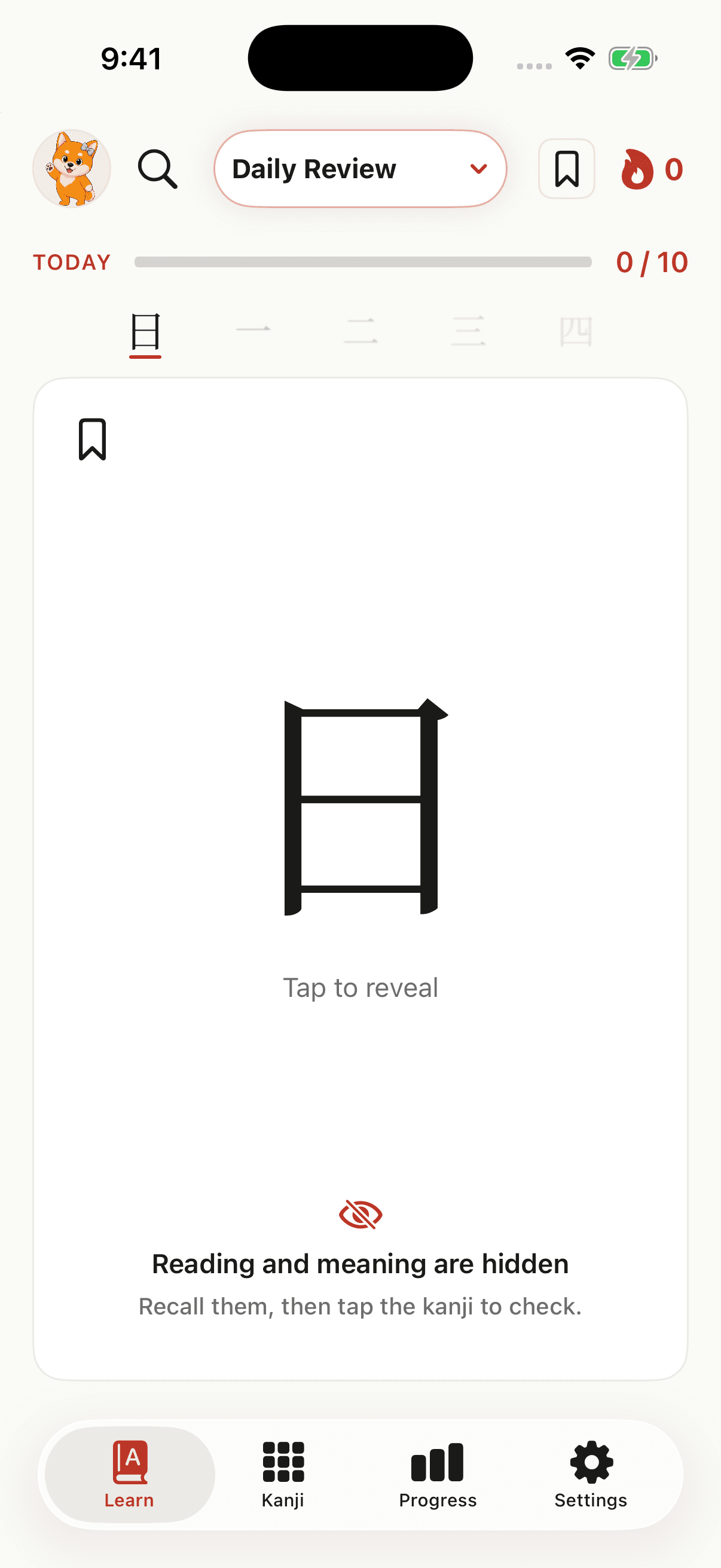
Small moments.
Real progress.
- Meet a kanji
- Make it click
- Keep it with you
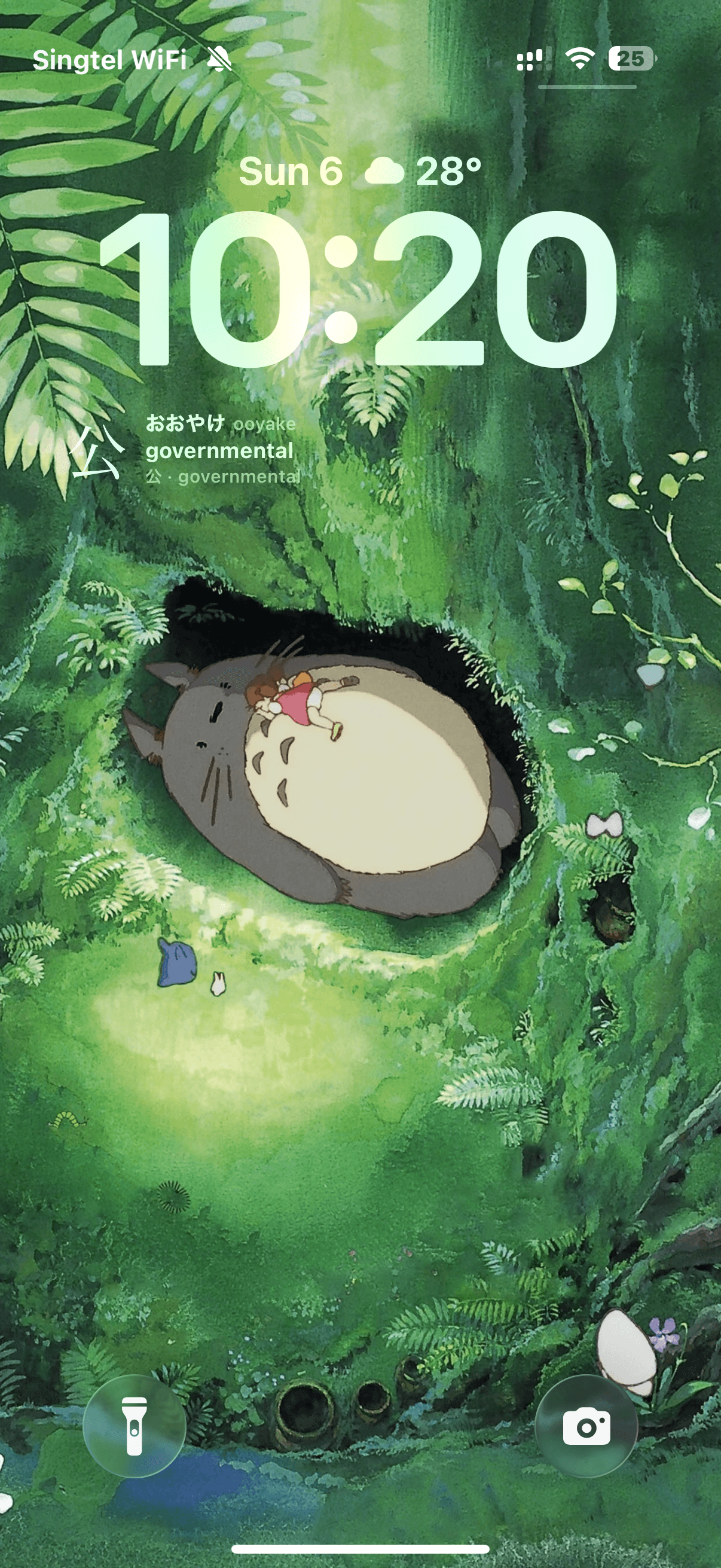
Right where you look
A phone check.
A little Japanese.
Waiting for your coffee. Checking the time. Taking a breather. Keep Japanese in view with widgets that make a few more characters feel familiar each day.
Made for the moments you already have.
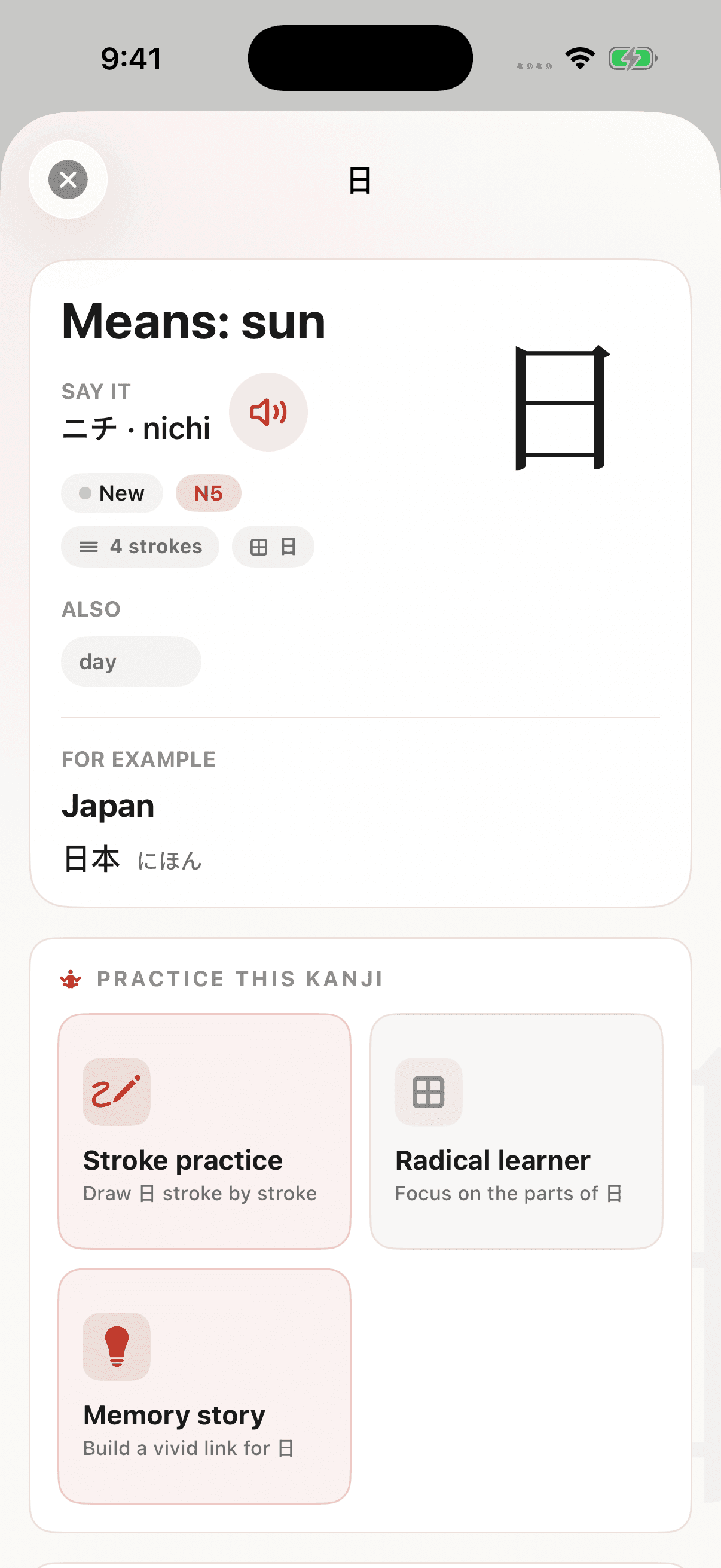
Go beyond the flashcard
Every character
has a story.
Kanji starts to make sense when you see how it fits together. Explore the parts, hear the readings, and meet the words that bring a character to life.
Readings, audio, and examples in one place.
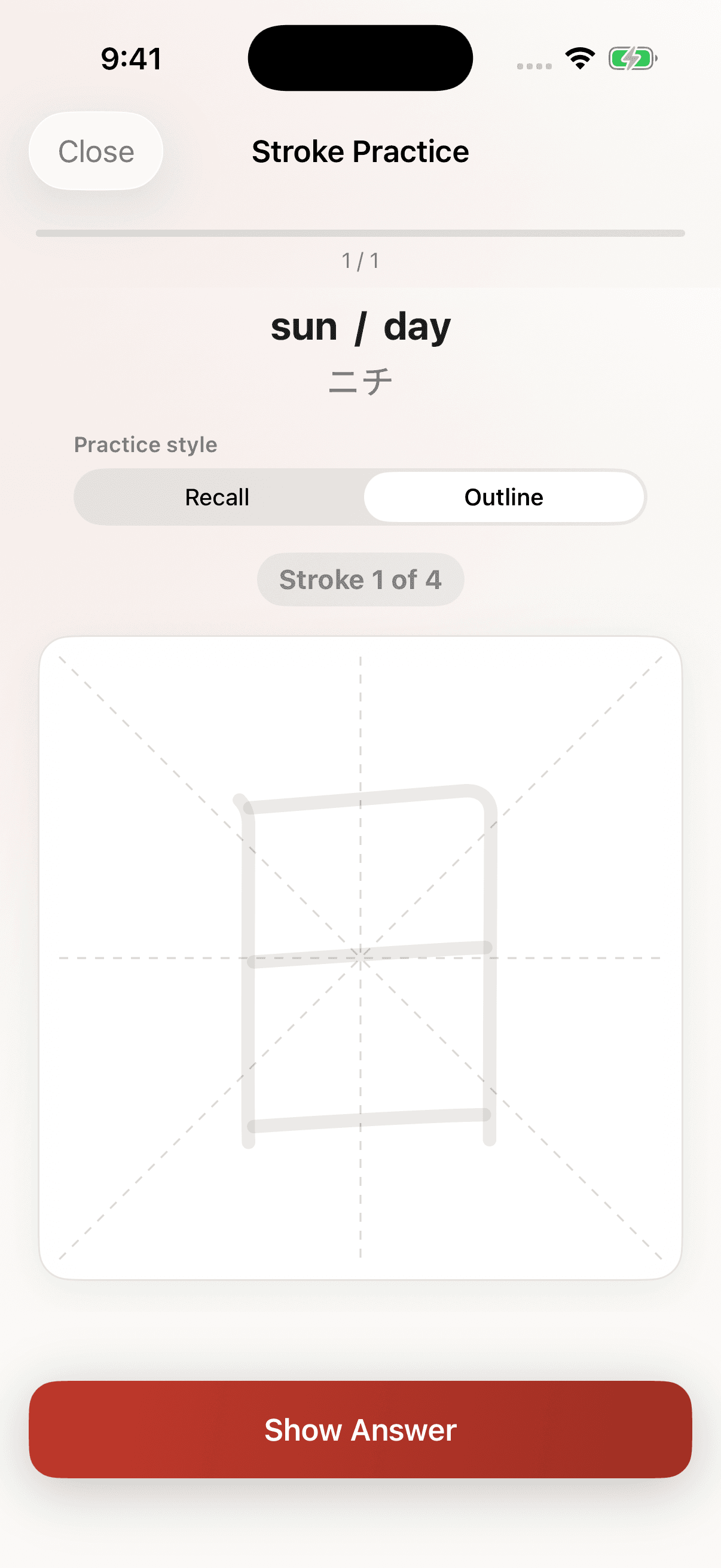
Learn it by hand
From the first stroke
to “I know this.”
Follow the strokes, find your flow, then try it on your own. A little hands-on practice helps the shapes feel less unfamiliar, one character at a time.
Guided stroke order and practice from memory.
Build a lasting habit
Learn it today.
Know it tomorrow.
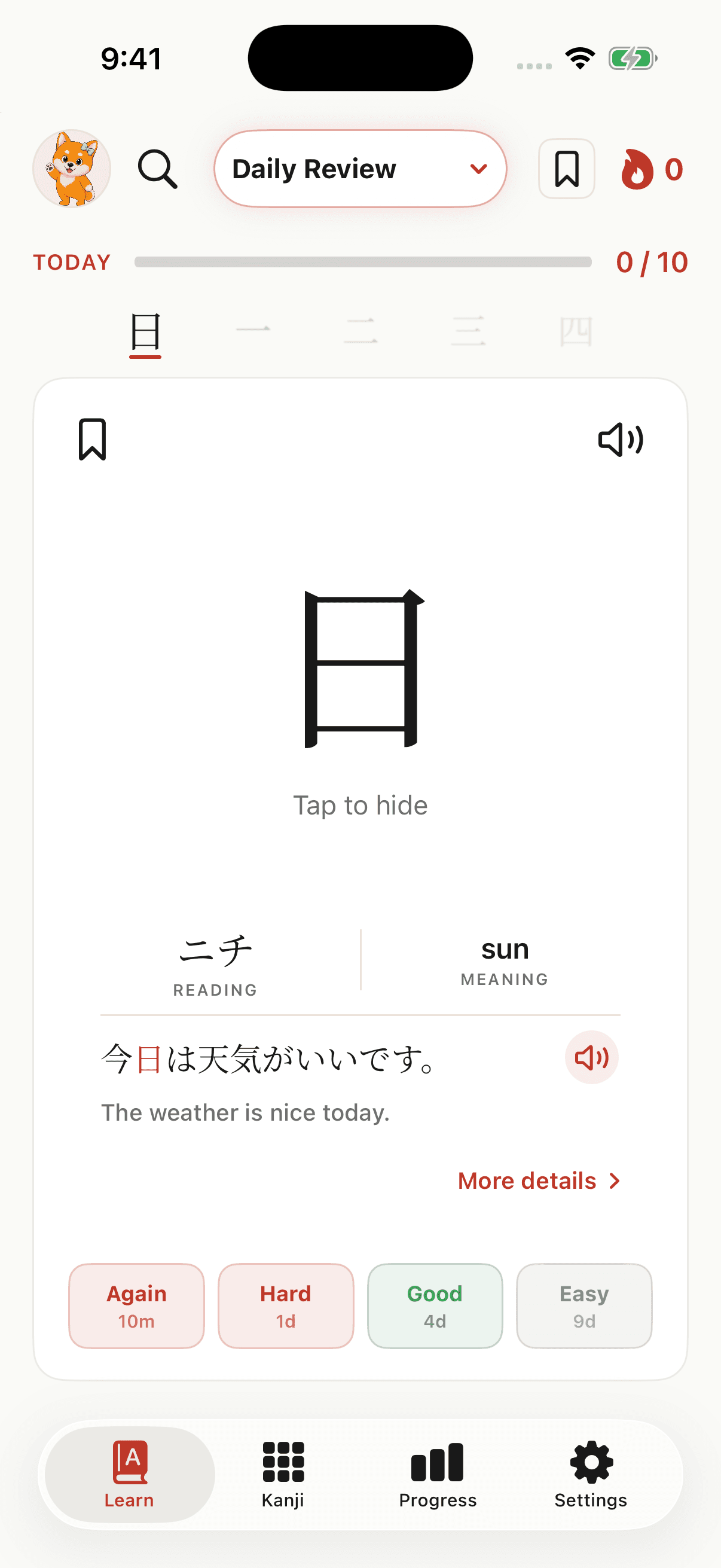
You don’t have to plan every review. Moji uses spaced repetition to bring kanji back over time, with a focused daily queue built around what needs your attention.
A daily queue that adapts as you learn.
Monday, September 7
少しずつ進もう
Move little by little
A little encouragement
A few words.
A little lift.
Keep a little encouragement close. Moji Daily brings a short Japanese quote and its English translation to your Lock Screen, with a fresh message each day. A gentle reminder to keep going at your own pace.
Moji Daily, on your iPhone Lock Screen.
A tiny taste of Moji
See? You’re already
making connections.
A kanji can look like a puzzle. Its parts give you a way in. Try this little memory story.
Meet the character. Reveal its story. Try another.
Take a look at its two parts.
A few things to know
Curious?
Good place to start.
I'm new to Japanese. Can I start with Moji?
Yes. Choose a beginner goal and a daily pace that feels manageable. Moji introduces kanji with meanings, readings, examples, and writing practice, so you can build up one character at a time.
How does learning on the Lock Screen work?
On iPhone, add a Moji widget to your Lock Screen to keep a kanji, its reading, and its meaning in view. Open Moji when you want to explore the character or review what you remember. Android also has home screen widgets; Lock Screen options depend on your device.
Does Moji cover my JLPT level?
Moji includes kanji from N5 through N1. Choose your goal in the app and work through the characters at your own pace, whether you're just starting or preparing for a higher level.
Can I use Moji on Android?
Yes. Moji is available on both the App Store and Google Play. Explore Moji for Android →

Your next little beginning
A little today.
A little more tomorrow.
Make Japanese a part of your everyday.